Blue White Business Plan: A Practical Template for Real-World Projects
You have an idea. Maybe it is a new service you want to pitch to a local coffee shop. Maybe it is a community workshop you are trying to get funded. Or perhaps you are finally putting together that online store you have been thinking about for two years. The problem is never the idea itself. The problem is getting it down on paper in a way that looks serious, feels professional, and actually makes sense to other people.
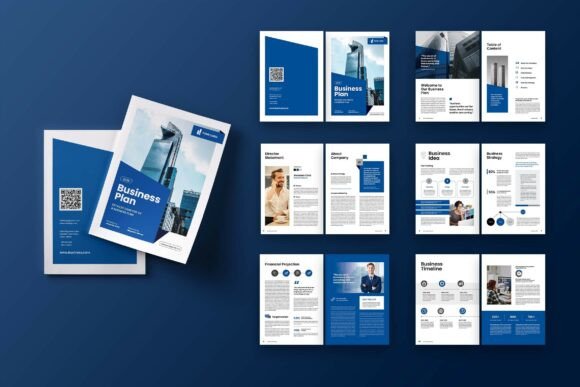
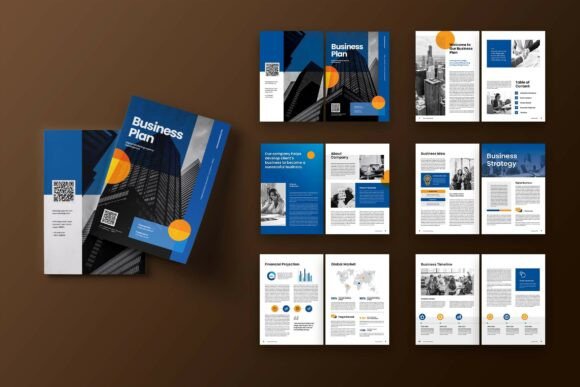
That is where the Blue White Business Plan template steps in. It is an Adobe InDesign template designed for A4 documents. Twenty-one centimeters by twenty-nine point seven centimeters. Standard. Practical. The kind of size that fits comfortably in a binder, on a tablet, or in a digital portfolio. It comes with twelve custom pages, including the front cover and back cover. The color scheme is CMYK, the resolution is 300 DPI, and there is a 3 mm bleed built in. Smart layers. Organized layers. Everything is neatly labeled so you are not hunting around for the right text box at eleven o'clock at night.
Who Actually Uses a Layout Template Like This
The honest answer is more people than you might expect. When you hear the words "business plan template," it is easy to imagine only startup founders or corporate consultants. But in reality, the people who reach for a template like Blue White Business Plan are much more diverse. Freelancers use it to present proposals to potential clients. Teachers use it to structure curriculum outlines. Nonprofit volunteers use it to apply for small grants. Even hobbyists use it to plan out passion projects that they hope to turn into something bigger.
The reason is simple. A clean layout does not just make your content look better. It makes your content easier to understand. When information is organized visually, people read it differently. They trust it more. They take it more seriously. And that matters whether you are asking for investment, approval, or simply a few minutes of someone's time.
Pitching a New Product or Service
Imagine you run a small graphic design studio. You have a client who wants a complete brand overhaul. You could send them an email with bullet points. Or you could put together a proper business plan document that outlines the timeline, the visual strategy, the deliverables, and the pricing. The Blue White Business Plan template gives you pages for images, infographics, and text. You can show mood boards alongside budget breakdowns. You can include a timeline infographic on one page and a case study on the next. The client sees a cohesive story, not a collection of random attachments.
Applying for Grants or Community Funding
Nonprofits and community organizations often operate on tight budgets. But applying for grants still requires a polished document. A template like this helps you present your mission statement, your program goals, your projected expenses, and your impact metrics all in one place. The infographic pages are especially useful here. Instead of writing a paragraph about where the money goes, you can show a simple visual breakdown. Grant reviewers see dozens of applications. A well-designed document stands out.
Planning an Educational Program or Workshop
Educators and trainers do not always think of themselves as business planners. But if you are organizing a multi-session workshop, you are essentially running a small project. You need a clear outline. You need a budget. You need a schedule. The Blue White Business Plan template gives you the structure to lay out each module, describe the learning objectives, and include visual aids. Whether you are teaching photography, coding, or creative writing, having a professional plan helps you communicate with venues, sponsors, and participants.
Launching a Personal Side Project
Not every business plan is for a company. Sometimes you just want to organize your own thoughts. Maybe you are planning a local event, a community garden, or a small online publication. Putting together a document using a template like this forces you to think through the details. What is the goal? Who is the audience? What resources do you need? What does success look like? The act of filling in the pages clarifies your own thinking. And if you decide to share your plan with a friend or a potential collaborator, it already looks presentable.
How Different Users Benefit in Different Situations
Freelancers and independent consultants often work alone. They do not have a design team or a marketing department. Having a ready-made InDesign template means they can produce client-facing documents that look like they came from an agency. The smart layers make it easy to swap out images, change text, and adjust colors without breaking the layout. That saves time and reduces stress before a big meeting.
Small business owners wear many hats. They might be handling operations, customer service, and finances all in the same afternoon. When they need to create a business plan for a loan application or a partnership proposal, they cannot spend three days fiddling with formatting. The Blue White Business Plan template gives them a head start. Twelve pages. Clean structure. Room for images and data. They can focus on the content instead of the layout.
Marketers and content creators often need to present strategies to clients or stakeholders. A business plan template works perfectly for a marketing roadmap. You can include audience research, content pillars, distribution channels, and performance metrics. The infographic elements help translate complex data into something readable. And because the template uses free fonts from DaFont or Google Fonts, there is no worry about licensing issues when sharing the final PDF.
Students and recent graduates sometimes need to submit project proposals or business ideas as part of their coursework or applications. A well-designed document makes a strong impression on instructors or admissions committees. The template provides a professional framework without requiring advanced design skills. You just need basic familiarity with Adobe InDesign, and you are good to go.
What to Consider Before Using This Template
The Blue White Business Plan template is not a magic solution. It is a tool. Like any tool, it works best when you use it thoughtfully. Here are a few things to keep in mind.
You need Adobe InDesign. This is not a Word document or a Canva template. It is built for InDesign, which means you need access to the software. If you already have it, you are set. If not, you might need to consider whether the investment is worth it for your project.
The images in the preview are not included. The download comes with the template files and the smart layers. The photos you see in the demo are for illustration only. You will need to supply your own images. That is actually a good thing. It means your final document will have your own visuals, your own brand, and your own story.
Customization still takes time. Even with smart layers and organized folders, you cannot just open the file and print it. You have to replace the placeholder text, insert your own images, adjust the infographics to match your data, and fine-tune the colors if needed. The template saves you hours compared to starting from scratch. But it does not do the thinking for you.
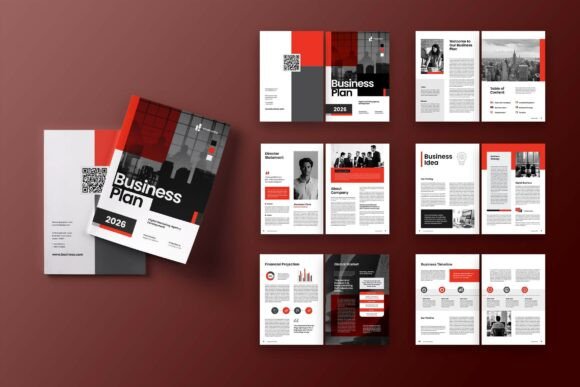
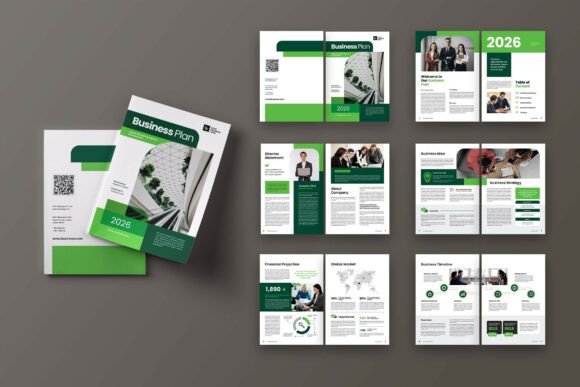
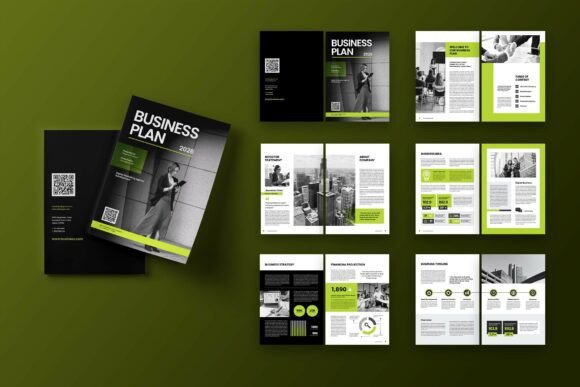
Consider your audience. The blue and white color scheme is clean and professional. It works well for most corporate and creative contexts. But if your project has a specific brand color or a more unconventional visual identity, you might need to adapt the template. The CMYK format and 300 DPI resolution give you high-quality print output, but make sure the overall aesthetic fits your message.
Connecting Features to Real Outcomes
Let us talk about what the features actually mean in practice. The 12 custom pages include a front cover and back cover. That gives you ten interior pages to work with. For many projects, that is exactly the right length. Enough space to cover your vision, your strategy, your financials, and your timeline. Not so many pages that you end up padding the document with filler.
The 3 mm bleed matters if you plan to print. It means your design extends to the edge of the page without leaving an ugly white border. If you are presenting digitally, the bleed is less critical, but it still gives the document a polished, print-ready feel.
The smart layers and neatly organized layers matter when you are in a hurry. You can lock the background elements, edit the text layers, and move on. You do not have to worry about accidentally shifting a design element that took someone hours to set up. That kind of structure is especially valuable for people who use InDesign occasionally rather than every day.
The free fonts from DaFont or Google Fonts mean you can match the typography to your project without spending extra money. You can also swap in your own fonts if you have specific brand requirements. The template is flexible enough to accommodate that.
Making the Most of the Template in Your Workflow
If you decide to use the Blue White Business Plan template, think about your process before you open the file. Gather your content first. Write your text. Collect your images. Prepare your data for infographics. When you have everything ready, the template becomes a container for your work rather than a puzzle you have to solve.
Start with the cover page. It sets the tone. Use a strong image and a clear title. Move through the interior pages one at a time. Replace the placeholder text with your own. Drop in your images. Adjust the infographics to reflect your numbers. Review the flow. Does the document tell a story from beginning to end? Does each page build on the one before it?
Print a test copy if you can. Sometimes things look different on paper than they do on screen. The 300 DPI resolution ensures your images will be sharp, but the overall layout might need small adjustments once you see it physically.
And remember that a business plan is not a static document. You will update it as your project evolves. The template gives you a reusable framework. You can come back to it next quarter, make changes, and generate a new version without starting over.
The Blue White Business Plan template is one of those tools that sits quietly in the background until you need it. And when you do need it, having it ready saves you time, reduces stress, and helps you present your ideas in a way that people actually want to read. That is the real value. Not the design itself. But what the design helps you do.